
 Contacto
 Como comprar
Entrega
Guia de compras
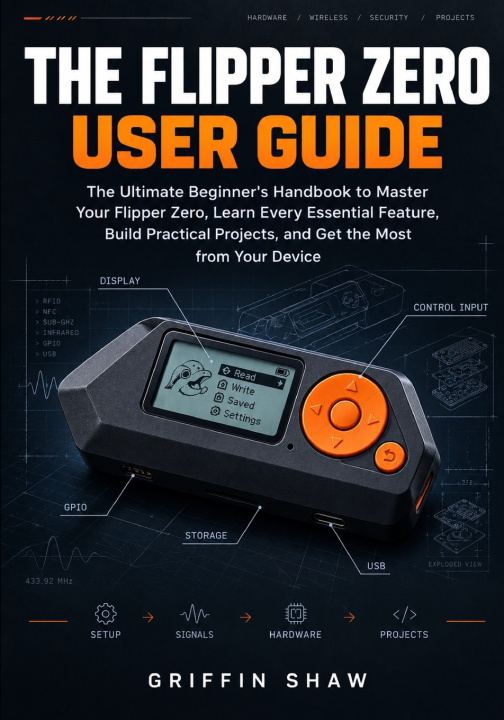
THE FLIPPER ZERO USER GUIDE
The Ultimate Beginner's Handbook to Master Your Flipper Zero, Learn Every Essential Feature, Build Practical Projects, and Get the Most from Your Device
 Inglês
 45 b
45 b
 Em breve
 Novo
Novo
Até 30 dias para devoluções

What if one small device could become a practical learning tool for wireless technology, electronics, infrared communication, RFID, NFC, USB automation, and hardware experimentation?
THE FLIPPER ZERO USER GUIDE is a practical, easy-to-follow handbook designed for readers who want to understand what their Flipper Zero can do and learn how to use its essential features with confidence.
Rather than overwhelming the reader with complicated technical terminology, this guide explains each major feature in clear language and gradually moves from basic device operation to practical hands-on projects.
Inside this guide, readers will learn how to:
* Set up and configure a Flipper Zero for everyday use.
* Understand the device controls, menus, applications, and settings.
* Manage files, storage, firmware, and a MicroSD card.
* Understand and work with compatible Sub-GHz signals.
* Explore supported RFID cards and understand RFID fundamentals.
* Work with NFC cards and tags.
* Learn how infrared communication works and use Flipper Zero with compatible remote controls.
* Understand iButton technology and supported devices.
* Explore GPIO and basic electronics experiments.
* Understand USB HID and Bad USB concepts.
* Connect Flipper Zero to a computer and manage device data.
* Build practical beginner projects in a controlled environment.
* Diagnose common setup, connection, storage, and device problems.
* Develop a stronger understanding of Flipper Zero through hands-on practice.
Clear explanations, practical procedures, troubleshooting guidance, and carefully selected illustrations make complex features easier to understand.
The book also explains important limitations and responsible-use considerations so that readers can explore Flipper Zero using devices and systems they own or are authorized to test.
Whether the goal is to understand wireless technology, explore electronics, experiment with hardware, learn about USB automation, or simply get more value from a Flipper Zero, this guide provides a practical path from first setup to confident everyday use.
Set up the device. Explore its features. Build practical skills. Discover what Flipper Zero can do.


Sobre o livro
Inglês

Ofereça este livro hoje
É fácil
1 Adicione ao carrinho e escolha Entregar como presente ao finalizar a compra 2 Receberá um vale 3 O livro chegará ao endereço do destinatárioOlá! Sou o Libroamiko, o seu conselheiro de livros.
Como posso ajudar?